Top 10 DDR5 Compatibility Tips for Global Buyers?

Time:2026-07-05 Author:Mason
0%

As the technology landscape rapidly evolves, consumers face challenges in upgrading to DDR5 memory. With the rise of gaming, artificial intelligence, and high-performance computing, ensuring DDR5 compatibility is critical. According to a recent industry report, over 60% of PC builders intend to adopt DDR5 within the next year. Yet, many remain uncertain about compatibility across various platforms and components.

This DDR5 compatibility guide aims to navigate the complexities of choosing the right motherboard, CPU, and RAM. Many users overlook key specifications. For instance, not all motherboards support DDR5, which can lead to costly mistakes. Reports indicate that approximately 30% of first-time buyers encounter compatibility issues. Understanding voltage, latency, and physical configuration is essential for a successful upgrade.

Despite the excitement surrounding DDR5, some buyers may rush into decisions. They often fail to consider future-proofing their systems. It’s essential to research various brands and models to avoid disappointments. This guide provides practical tips to ensure you make informed choices, optimizing performance while avoiding pitfalls in the process.
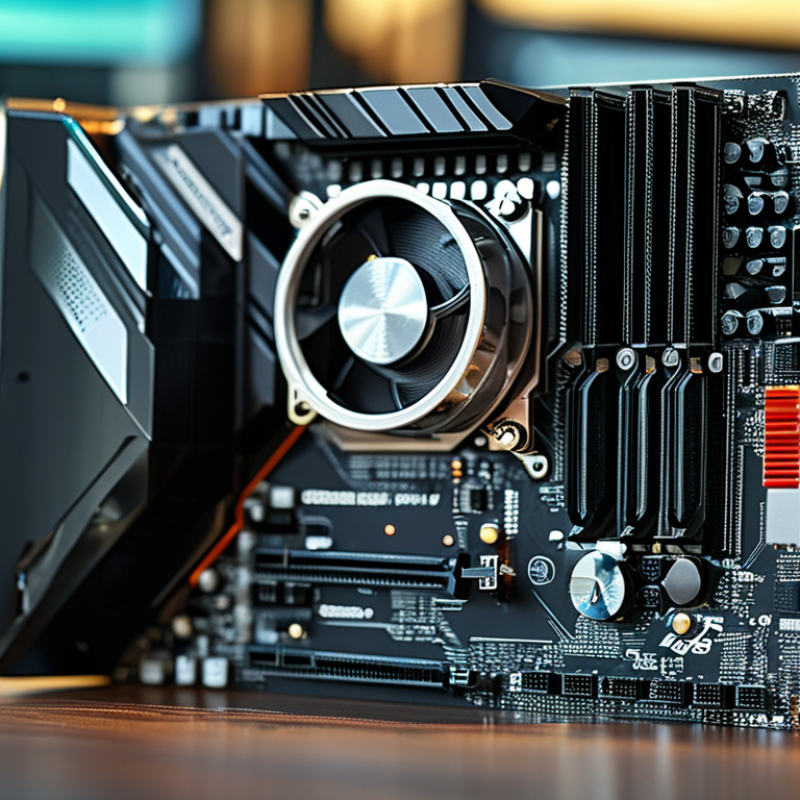
Top 10 DDR5 Compatibility Tips for Global Buyers?

Understanding DDR5 Technology and Its Benefits

DDR5 technology represents a significant advancement in memory performance. It is designed to offer higher bandwidth and improved power efficiency compared to its predecessor, DDR4. According to industry reports, DDR5 memory can achieve speeds exceeding 8400 MT/s. This is crucial for applications that demand high data rates, such as gaming and data-heavy tasks.


One primary benefit of DDR5 is its ability to provide dual-channel architecture per DIMM. This allows for increased data transfer rates and more efficient use of memory. The improvement in capacity is notable as well. DDR5 modules can support up to 128 GB per stick. This enables better multitasking and enhances overall system performance, particularly in high-performance computing environments.


Despite these advancements, users need to ensure compatibility with their systems. Many motherboards and CPUs are still adapting to support DDR5 technology. Compatibility is often a point of confusion. It’s essential for buyers to verify both motherboard chipset capabilities and firmware updates. As adoption grows, more resources will emerge to help navigate this transition. However, those in the market should approach with caution and research thoroughly.

Identifying Compatible Motherboards for DDR5 RAM

When considering DDR5 RAM, identifying compatible motherboards is crucial. Not all motherboards support DDR5, so users must conduct thorough research. An easy check is to look for motherboards that explicitly state DDR5 compatibility in their specifications. This key detail often appears in the manufacturer's product description.

One common issue faced by buyers is overlooking the memory slots. Motherboards designed for DDR4 differ significantly in design. DDR5 RAM sticks have unique notches that prevent them from being inserted into DDR4 slots. This aspect can easily be missed. It’s essential to verify the motherboard version and chipset to ensure it supports DDR5.

Another factor to consider is the motherboard's BIOS. Some older BIOS versions may not support the latest DDR5 RAM speeds. A simple BIOS update could resolve this issue, but it requires some technical knowledge. Users should consult forum discussions or community posts to gather insights from others who have navigated similar challenges. Sharing experiences can enhance the decision-making process and help avoid potential pitfalls. Being informed is vital to ensure a smooth upgrade experience.

Top 10 DDR5 Compatibility Tips for Global Buyers

Tip Number Tip Description Key Aspect
1 Check the motherboard's specifications to confirm DDR5 support. Motherboard Compatibility
2 Ensure BIOS is updated to the latest version for optimal performance. BIOS Update
3 Use RAM from reputable manufacturers to ensure reliability. Quality Assurance
4 Verify that the motherboard supports the amount of RAM you plan to install. RAM Capacity
5 Match the RAM speed with what the motherboard can handle. Speed Compatibility
6 Look for motherboards with multiple DIMM slots for future upgrades. Upgrade Potential
7 Review user and expert feedback on compatibility experiences. Community Insights
8 Consider motherboards with excellent thermal management for stability. Thermal Performance
9 Check for support of dual-channel configurations to enhance performance. Dual-Channel Support
10 Make sure the power supply meets the requirements of high-performance setups. Power Supply Compatibility

Evaluating CPU Compatibility with DDR5 Modules

When considering DDR5 compatibility, evaluating your CPU is crucial. Not all CPUs support DDR5 memory, so start by checking your processor’s specifications. Manufacturers often detail supported memory types. DDR5 modules require more advanced chipsets, typically found in newer processors.

Look for specific information on memory channels. Some CPUs may only support dual-channel configurations while others can handle quad-channel setups. This difference impacts performance. Additionally, check the memory speed supported by your CPU. DDR5 comes with various speeds, and not all CPUs can utilize them fully.

Overlooking these details could lead to incompatibility issues. Testing memory compatibility can be a frustrating process. Users might find their systems unstable or unable to boot. Therefore, always research compatibility well before purchasing DDR5 modules. Consider these factors carefully to avoid unnecessary complications.

Choosing the Right DDR5 Specifications for Your Needs

Choosing the right DDR5 specifications is crucial for optimal performance. DDR5 memory offers significant improvements over its predecessor, including higher bandwidth and lower power consumption. According to industry reports, DDR5 can achieve speeds of up to 8400 MT/s, enhancing data transfer rates. This upgrade is particularly beneficial for gamers and content creators who rely on speed and efficiency.

When selecting DDR5 modules, consider your specific requirements. Different use cases demand varying speeds and capacities. For instance, high-end gaming setups may need modules with at least 32GB of RAM. In contrast, basic office tasks might only require 16GB. It's essential to match the specifications with the intended applications. In reality, many users purchase more or less than they need, leading to either wasted investment or insufficient performance.

Another significant factor is motherboard compatibility. Not all motherboards support DDR5, so verifying compatibility is essential. Research shows that many users experience challenges with installation and performance due to mismatched specifications. This can be particularly frustrating. Therefore, it's wise to consult detailed compatibility lists or technical guides before purchasing. Understanding your system’s requirements is key to making a sound investment in DDR5 memory.

Common Installation Issues and Troubleshooting Tips

Installing DDR5 RAM can be smooth, but issues often arise. One common problem is the incompatibility of motherboards. Not all motherboards support DDR5. Always check the specifications thoroughly before making a purchase. If the RAM doesn’t fit snugly, it may not work correctly. Ensure you are aligning the notch properly and applying even pressure during installation.

Another installation issue involves improper BIOS settings. If the system fails to recognize the RAM, accessing the BIOS is crucial. Sometimes, simply resetting to default settings can resolve detection issues. Remember that some older motherboards may require a BIOS update. This is a crucial step that many overlook. Without the right version, stability can suffer.

After installation, be vigilant for performance issues. Frequent crashing or unexpected behavior may indicate a problem. Look for overheating issues as well. Poor ventilation can lead to thermal throttling. These symptoms often relate back to installation mistakes. Pay attention to how the RAM is seated in the slots. Monitoring tools can help track performance metrics.

FAQS

: What are the main advantages of DDR5 technology?

: DDR5 offers higher bandwidth and improved power efficiency compared to DDR4. It achieves speeds over 8400 MT/s.

How does DDR5 improve multitasking?

DDR5 modules support up to 128 GB per stick. This enhances multitasking and overall system performance significantly.

What should users check for DDR5 compatibility?

Users need to verify motherboard chipset capabilities and firmware updates. Compatibility confusion is common among users.

How important is CPU compatibility with DDR5?

CPU compatibility is crucial as not all CPUs support DDR5 memory. Check your processor's specifications to ensure compatibility.

What should I consider when choosing DDR5 specifications?

Consider your specific needs. Different tasks require varied speeds and capacities. Purchase accordingly to avoid wasting resources.

What happens if I overlook compatibility details?

Overlooking compatibility can lead to instability or boot issues. Research is vital before purchasing DDR5 modules to avoid frustration.

How much RAM do I need for gaming?

High-end gaming setups typically need at least 32GB of RAM. Basic tasks may only require 16GB for adequate performance.

Why is motherboard compatibility important with DDR5?

Not all motherboards support DDR5. Mismatched specifications can lead to installation challenges and performance issues.

What speeds does DDR5 support?

DDR5 offers various speeds, but not all CPUs can utilize them fully. Verify supported speeds with your CPU specifications.

Why do users often purchase unsuitable DDR5 modules?

Many users misjudge their needs, buying either too much or too little RAM. This can lead to wasted investment or inadequate performance.

Conclusion

The "DDR5 compatibility guide" provides essential insights for global buyers looking to upgrade their systems with the latest DDR5 technology. It begins by elucidating the advantages of DDR5 RAM, such as improved speed and efficiency, which make it a desirable choice for modern computing needs.

The guide emphasizes the importance of identifying compatible motherboards and evaluating CPU compatibility with DDR5 modules to ensure optimal performance. Furthermore, it assists users in selecting the right specifications tailored to their individual requirements, while also addressing common installation issues and troubleshooting tips to ease the transition to DDR5. This comprehensive approach equips buyers with the necessary knowledge to make informed decisions regarding their upgrades to DDR5 technology.

Mason

Mason

Mason is a seasoned marketing professional with a deep expertise in the company's offerings and a passion for driving brand awareness. With a strong background in digital marketing strategies, he has an innate ability to connect with diverse audiences and effectively communicate product benefits.......