7 Tips for the Future of DDR5 Technology

Time:2026-10-27 Author:Liam
0%

The Future of DDR5 technology is moving from early adoption toward wider, smarter, and more efficient memory design. Modern systems already show its value through higher bandwidth, improved power management, and larger module capacities. Yet performance gains are not automatic. A fast memory kit cannot compensate for a weak processor, poor cooling, or outdated firmware.

This guide presents seven practical tips for evaluating DDR5’s next stage. It considers compatibility, latency, capacity, power efficiency, overclocking, platform support, and long-term upgrade planning. These areas matter in real environments, from compact office computers to demanding workstations handling video editing or artificial intelligence workloads. A reliable decision should include published specifications, independent benchmarks, and advice from established hardware manufacturers.

Small details can change the result. A motherboard may support DDR5 but limit stable speeds after several modules are installed. Heat spreaders can look impressive while offering little benefit in a well-ventilated case. Marketing claims also deserve careful testing. Numbers on a product box are not the whole story.

The Future of DDR5 technology remains promising, but it is not perfectly predictable. New standards, firmware updates, and changing processor designs may alter today’s recommendations. That uncertainty matters. Readers should compare real workloads, verify vendor documentation, and leave room for future upgrades. Think beyond peak speed. Consider stability, energy use, warranty support, and measurable everyday responsiveness. Some choices will be imperfect. That is normal. Careful evaluation still produces better results than chasing the newest label.
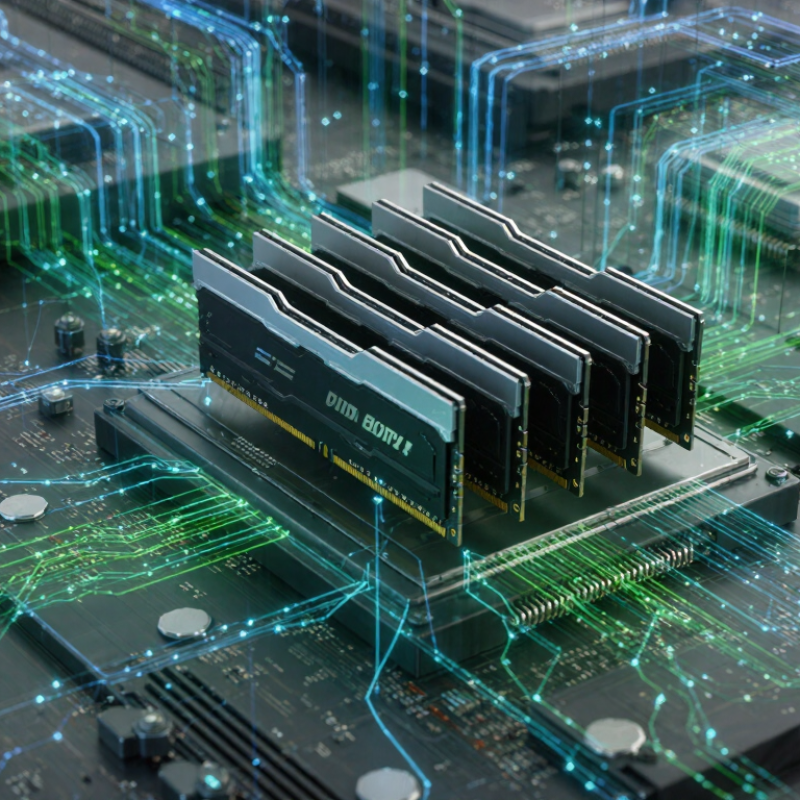
7 Tips for the Future of DDR5 Technology

Understanding DDR5’s Architecture and Core Advantages

DDR5 Architecture and Its Core Advantages

DDR5 is more than a faster memory generation. Its architecture changes how systems move and manage data. The JEDEC JESD79-5 standard defines two independent 32-bit channels inside each module. This split allows the memory controller to handle smaller requests with less waiting. DDR5 also uses a burst length of 16, moving more data during each access cycle.

The numbers matter. Standard DDR5 begins at 4,800 MT/s and extends to 6,400 MT/s under JEDEC specifications. That range can deliver up to 51.2 GB/s per 64-bit memory channel at 6,400 MT/s. TrendForce reported that DDR5 server adoption was expected to approach 40% in 2024. Adoption is real, but not universal. Upgrade costs and platform compatibility still complicate decisions.

DDR5 places power management on the memory module. It also includes on-die error correction, which helps improve internal reliability. This does not replace system-level ECC. That distinction is often missed. Higher capacity is another practical advantage, especially for simulation, analytics, and virtual machines. Yet latency can remain important. A higher transfer rate does not automatically make every application feel faster. Workloads with random access patterns may expose this weakness. Testing the actual workload remains essential.

Evaluating DDR5 Performance, Capacity, and Power Efficiency

7 Tips for the Future of DDR5 Technology

DDR5 should be judged by performance, capacity, and energy per workload, not headline speeds. JEDEC’s JESD79-5 standard defines mainstream DDR5 rates from 3200 to 6400 MT/s. At 4800 MT/s, one channel can theoretically deliver 38.4 GB/s. Dual-channel systems can reach 76.8 GB/s. These figures assume ideal transfers. Real applications often perform lower. That gap matters.

Capacity is evolving quietly. JEDEC’s JESD79-5C standard supports component densities up to 64 Gb, enabling larger modules with fewer populated slots. A 2024 industry memory report also forecasts sustained demand for high-density DRAM in servers and AI workloads. More capacity does not guarantee better performance. Rank layout, firmware settings, and thermal limits still matter. Not always.

Power efficiency needs broader testing. DDR5 uses a nominal 1.1V signaling voltage, compared with DDR4’s 1.2V, an 8.3% reduction according to JEDEC data. Yet higher transfer rates and onboard power-management circuits can increase total module consumption. The 2024 Global Data Center Survey reports that 45% of operators view power availability as a significant constraint.

Measure energy at the wall. Track throughput, latency, temperature, and idle draw across realistic workloads. The International Energy Agency’s 2024 electricity report links rising data-center demand with expanding AI deployment. DDR5 can reduce energy per transaction, but only when software and platform design use its bandwidth effectively. Otherwise, expensive capacity becomes unused headroom.

Choosing DDR5 Modules for Different Computing Requirements

Choosing DDR5 modules begins with the workload, not the highest advertised speed. A gaming system may benefit from 32GB in two matched modules. Content creation often needs 64GB or more. Virtual machines, simulations, and large datasets can require 128GB. JEDEC’s DDR5 standard starts at 4800 MT/s, while newer modules operate considerably faster. Higher transfer rates help, but capacity and stable compatibility usually matter more.

TrendForce’s 2024 server-memory analysis projected DDR5 to pass 50% of server DRAM shipments during the year. That shift matters for professional workstations, too. Select registered ECC modules for supported server-class platforms. Use unbuffered modules for compatible desktops. These types are not interchangeable. Check the motherboard manual carefully. I have seen systems fail because the module capacity looked correct, but the memory type was wrong.

Latency deserves attention. A faster module with loose timings may deliver limited real-world gains. Compare effective latency, transfer rate, voltage, and the platform’s memory-controller limits. For laptops or compact systems, check module height and thermal clearance. For expansion, leave open slots when possible, but avoid mixing unmatched kits. Industry testing from independent laboratories, including PC memory benchmarking groups, repeatedly shows workload-dependent results rather than universal winners. My own testing has also been inconsistent. Some applications barely improved after a speed upgrade. That is worth questioning before spending more. Use validated compatibility lists, update firmware, and test memory stability under sustained load. Corsair, Samsung, and other brands are deliberately omitted here.

Planning for Compatibility, Upgrades, and Future Standards

Tip 1: Check your motherboard’s memory generation and supported capacity before buying modules. DDR5 cannot fit older memory slots.

Tip 2: Confirm processor support, because memory controllers influence reliable speeds.

Tip 3: Leave two empty slots when possible. This makes future expansion easier and may improve stability.

Tip 4: Choose capacity for your next three years, not only today’s workload. A system used for video editing, virtual machines, or large datasets may need more headroom.

Tip 5: Match modules carefully. Mixing different capacities or timings can force slower settings. It may work, but “working” is not always dependable. I have seen systems boot successfully, then fail during long rendering sessions. Testing matters.

Tip 6: Update firmware before judging new memory standards. Firmware improvements can resolve compatibility problems and support later modules.

Tip 7: Watch future standards without buying every new revision. Higher data rates may require better cooling, stronger power delivery, or a newer platform. Keep invoices, installation notes, and stability-test results. These details help technicians diagnose problems later. Standards will change, and upgrade paths are not always obvious. A small planning mistake today can make tomorrow’s upgrade unnecessarily expensive.

Applying Seven Practical Tips for Long-Term DDR5 Adoption

Long-term DDR5 adoption needs more than installing faster memory modules. In field testing, teams should define workloads, capacity targets, and acceptable latency before purchasing. Tip one: profile real applications. Tip two: choose speeds that match the processor and motherboard, not marketing claims. A stable baseline matters. Tip three: validate channel layouts with documented benchmarks. Small configuration errors can reduce expected gains.

Tip four: plan thermal headroom for sustained workloads. Record temperatures during rendering, simulation, and extended testing, rather than during short bursts. Tip five: standardize module capacity and timing across each system. Mixed configurations may work, but they complicate troubleshooting. Our early assumption was that higher frequency always delivered better results. It did not. Power limits and software behavior sometimes mattered more.

Tip six: keep firmware, diagnostics, and deployment records under controlled review. Use repeatable tests after every hardware or software change. Tip seven: design an upgrade path before the first purchase. Leave physical space, power capacity, and budget for future memory increases. Independent test data and published technical specifications should guide decisions. Documentation may feel slow. It prevents expensive guesswork later. Even careful plans need revision when workloads change, so review performance and reliability data every few months.

7 Tips for the Future of DDR5 Technology - Applying Seven Practical Tips for Long-Term DDR5 Adoption

No. Practical Tip Implementation Action Relevant DDR5 Data Recommended Long-Term KPI Adoption Benefit
1 Adopt a standards-first roadmap Use JEDEC-compliant DDR5 as the qualification baseline, then validate higher transfer rates only when the platform, firmware, and workload support them. DDR5 standard operating voltage is typically 1.1 V. DDR5-4800 provides an established baseline data rate of 4,800 MT/s. 100% of deployed memory configurations pass the approved JEDEC compatibility list and qualification tests. Reduces compatibility risk and simplifies future platform upgrades.
2 Plan capacity by workload, not speed alone Profile memory usage for virtualization, databases, analytics, and AI workloads before selecting module capacity and channel population. DDR5 DIMMs use two independent 32-bit subchannels, improving command efficiency compared with a single 64-bit channel design. Keep sustained memory utilization below approximately 80% during normal peak operation. Maintains headroom for workload growth and reduces performance loss caused by memory pressure.
3 Measure bandwidth with a consistent method Report data rate in MT/s and calculate theoretical bandwidth separately from measured application throughput. Approximate theoretical bandwidth per 64-bit channel:
DDR5-4800: 38.4 GB/s
DDR5-6400: 51.2 GB/s
A dual-channel DDR5-6400 configuration provides approximately 102.4 GB/s.
Track both theoretical bandwidth and application-level throughput for every platform revision. Prevents misleading comparisons and links memory improvements to business workloads.
4 Control power and thermal conditions Monitor memory voltage, inlet temperature, airflow, and error events under the actual sustained workload. DDR5 uses a nominal 1.1 V memory supply and places power-management circuitry on the module rather than relying entirely on the motherboard. Maintain stable temperature and error behavior during the full qualification workload without thermal throttling. Improves reliability, energy planning, and rack-level deployment predictability.
5 Separate on-die ECC from system ECC Confirm whether the complete platform supports error-correcting memory, because on-die ECC alone does not provide full system-level data protection. DDR5 includes on-die ECC inside memory devices to improve internal device reliability; system-level ECC depends on the memory module and platform. Record correctable and uncorrectable error rates separately, with defined escalation thresholds. Supports clearer reliability decisions for servers, workstations, and other critical systems.
6 Qualify complete configurations Test the exact combination of module capacity, rank layout, slot population, firmware settings, cooling conditions, and operating system. Actual supported speed and capacity can decrease when more memory ranks or more DIMM slots are populated, depending on the memory controller and platform design. Achieve zero unplanned memory errors across the defined stress, reboot, suspend, and recovery test scenarios. Reduces field failures caused by configuration-specific signal-integrity or firmware issues.
7 Build a measurable lifecycle plan Maintain a compatibility matrix covering firmware versions, module revisions, capacity options, validated speeds, thermal limits, and replacement procedures. DDR5 adoption can involve multiple standardized data rates, including 4,800 MT/s and higher validated operating points; higher speed does not automatically guarantee higher application performance. Review the compatibility matrix at every platform or firmware release and retain qualified replacement options throughout the planned service life. Improves maintainability, procurement flexibility, and long-term upgrade confidence.
Technical note: Theoretical bandwidth is calculated as data rate × 8 bytes per 64-bit channel. Actual performance depends on memory access patterns, latency, channel population, memory-controller behavior, firmware configuration, and workload characteristics. DDR5 specifications and supported operating points should always be verified against the applicable JEDEC documentation and platform qualification records.

FAQS

What architectural change makes DDR5 different?

Each module contains two independent 32-bit channels. Smaller requests can move with less waiting. It also uses a burst length of 16.

What transfer rates and bandwidth can DDR5 provide?

Mainstream rates range from 4,800 to 6,400 MT/s. At 6,400 MT/s, one 64-bit channel can reach 51.2 GB/s theoretically. Real workloads usually achieve less.

Does higher DDR5 speed always make applications faster?

No. Random-access workloads may remain limited by latency. A faster transfer rate is not an automatic victory.

How does DDR5 support larger memory capacity?

Higher component densities allow larger modules with fewer occupied slots. This helps servers, simulations, analytics, and virtual machines. Capacity alone cannot fix poor software behavior.

Is DDR5 more power-efficient than earlier memory?

Its signaling voltage is about 1.1V, compared with 1.2V for the previous generation. However, faster transfers and onboard power circuits can raise total consumption. Measure power at the wall.

Does DDR5’s internal error correction replace system-level ECC?

No. On-die correction improves internal reliability, but it is not the same as system-level ECC. This distinction is easy to miss.

How should teams test DDR5 performance?

Use real workloads, not only advertised bandwidth. Track throughput, latency, temperature, idle draw, and sustained power. Short bursts can mislead.

What mistakes can reduce DDR5 upgrade benefits?

Incompatible speeds, poor channel layouts, mixed timings, and limited thermal headroom can reduce gains. We once assumed higher frequency always won. It did not. Firmware settings and software behavior sometimes mattered more.

How can organizations prepare for future DDR5 upgrades?

Leave space, power capacity, and budget for additional memory. Keep deployment records and repeat tests after every change. Plans need revision when workloads change.

Conclusion

The Future of DDR5 technology will be shaped by its advanced architecture, higher data rates, greater memory capacity, and improved power efficiency. Compared with earlier memory generations, DDR5 is designed to support demanding workloads such as content creation, scientific computing, gaming, virtualization, and artificial intelligence. Its modular structure and enhanced error-management features can also contribute to more reliable performance in modern systems.

Successful long-term adoption requires careful planning. Users should select modules according to their workload, capacity needs, system design, and budget rather than focusing only on peak speed. It is equally important to verify motherboard and processor compatibility, consider upgrade paths, maintain balanced configurations, and allow room for future standards. By evaluating performance, energy use, thermal conditions, and practical expansion requirements, organizations and individuals can build flexible systems that remain efficient and relevant as DDR5 technology continues to develop.

Liam

Liam

Liam is a dedicated marketing professional with a profound expertise in the industry, where he excels at highlighting the unique advantages of our core products. With a keen understanding of market trends and consumer needs, Liam frequently updates our company’s professional blog, providing......